How to create a Google translate using python
Google translate using Python

Introduction
Translating software is widely used to identify and translate a foreign language into a native language and vice versa. In this blog, we are going to see how to create a Google translate using python
Requirements
pip install googletrans==3.1.0a0
pip install pyttsx3
googletrans is used for translating foreign language to the desired language pyttsx3 is used for text to speech
Code
Headers
from tkinter import *
import googletrans
from googletrans import Translator
import pyttsx3
Tkinter is used for the GUI of the application. googletrans is used for translating foreign language to the desired language. pyttsx3 is used for text to speech
Setting up a title
tk = Tk()
tk.title('Google translate')
tk.config(bg=glb_color)
 tk is the main window of the application
Getting input from the user
source=Frame(tk,bg=glb_color)

source_msg=Label(source,text="IN",font=("bold",20),bg=glb_color)
source_msg.grid(row=0,column=0)
text_box = Text(source,height=10,width=30,font=(25))
text_box.insert('end', message)
text_box.grid(row=1,column=0,padx=20,pady=20)

source.grid(row=0,column=0,padx=10,pady=40)
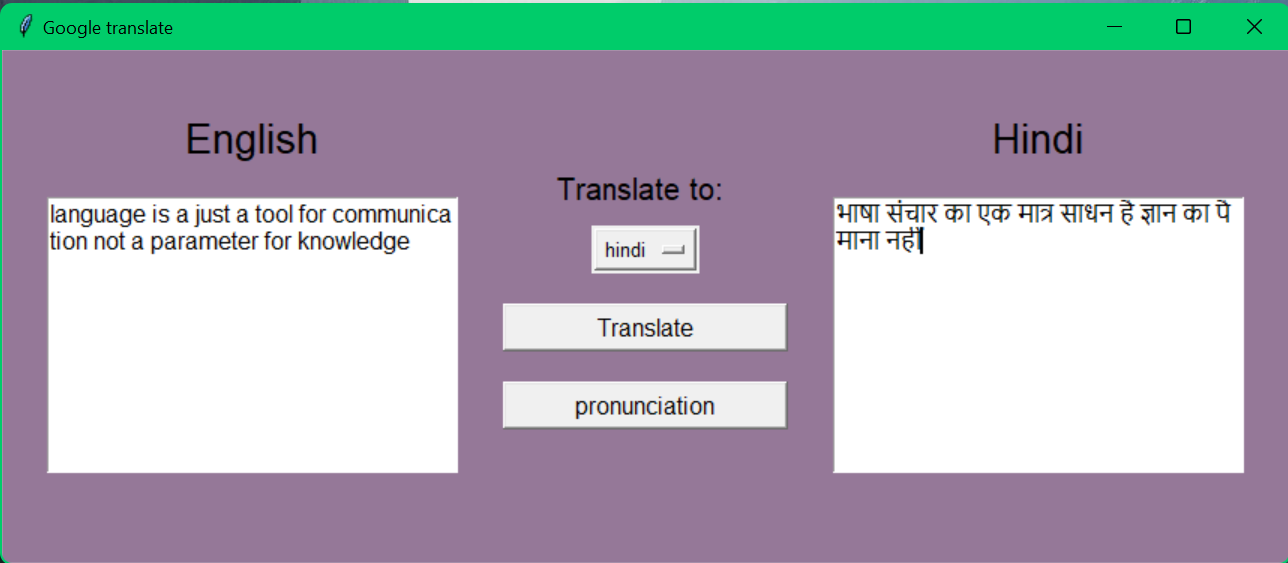
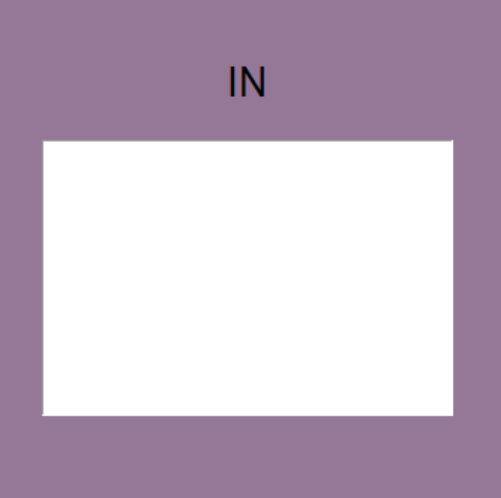 source(Frame):- It is the left part of the application.
source_msg(Label):- It is used to display the input language
text_box(Text):- It is used to get the Input language
source(Frame):- It is the left part of the application.
source_msg(Label):- It is used to display the input language
text_box(Text):- It is used to get the Input language
Controls
control=Frame(tk,bg=glb_color)

translate_to=Label(control,text="Translate to: ",font=("bold",15),bg=glb_color)
translate_to.grid(row=0,column=0,padx=10)

menu= StringVar()
menu.set("Select Any Language")
languages={}
languages1=[]
glanguages=googletrans.LANGUAGES


for i in glanguages:
    languages[glanguages[i]]=i
    languages1.append(glanguages[i])

drop= OptionMenu(control, menu,*languages1)
drop.config(font=("bold",10))
drop.grid(row=1,column=0,padx=30,pady=10)

trans=Button(control,text="Translate",font=("bold",12),command=google_trans_fun,width=20)
trans.grid(row=2,column=0,pady=10)

pronunciation=Button(control,text="pronunciation",font=("bold",12),command=trans_pronountiation,width=20)
pronunciation.grid(row=3,column=0,pady=10)

control.grid(row=0,column=1)
control(Frame):- It is the middle part of the application translate_to(Label):- It is used to display "Translate to" menu(StringVar):- It is used to set the desired language glanguages(variable):- It is used to get languages from the library drop(OptionMenu):- It is used for dropdown menu trans(Button):- It will invoke the google_trans_fun() function pronunciation(Button):- It will invoke the trans_pronountiation() function
Showing the output
dest=Frame(tk,bg=glb_color)
dest_msg=Label(dest,text="OUT",font=("bold",20),bg=glb_color)
dest_msg.grid(row=0,column=0)
text_box1 = Text(dest,height=10,width=30,font=(25))
text_box1.insert('end', message)
text_box1.grid(row=1,column=0,padx=20,pady=20)
dest.grid(row=0,column=2,padx=10,pady=40)
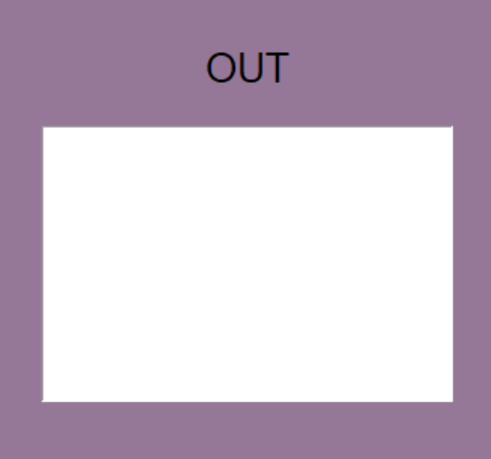
source(Frame):- It is the right part of the application. source_msg(Label):- It is used to display the output language text_box1(Text):- It is used to display the output desired language
Functions
google_trans_fun()
def google_trans_fun():
    global text_box,text_box1,menu,source_msg,dest_msg,languages1,languages,glanguages,whats_in_translate
    translator = Translator()

    source_lang=translator.detect(text_box.get("1.0", "end-1c"))
    trans_to=menu.get()
    translated=translator.translate(text_box.get("1.0", "end-1c"), dest=languages[trans_to])

    if translated.pronunciation!=None:
        whats_in_translate=translated.pronunciation
    else:
        whats_in_translate=text_box1.get("1.0", "end-1c")


    text_box1.delete("1.0","end")
    text_box1.insert('end', translated.text)
    source_msg.config(text=glanguages[source_lang.lang].capitalize())
    dest_msg.config(text=trans_to.capitalize())
In this function it will get the input from text_box then it will translate to the desired language based on the option selected and display it in the text_box1
trans_pronountiation()
def trans_pronountiation():
    global whats_in_translate,text_box
    engine = pyttsx3.init()
    voices = engine.getProperty('voices')
    engine.setProperty('voice', voices[1].id)
    engine.setProperty('rate', 200)
    engine.say(whats_in_translate)
    engine.runAndWait()
In this function, it will tell the user what's the pronunciation of the translated language
Final code
from tkinter import *
import googletrans
from googletrans import Translator
import pyttsx3
import speech_recognition as sr


#global variables
message =''
whats_in_translate=""
glb_color="#957898"


tk = Tk()
tk.title('Google translate')
tk.config(bg=glb_color)


#functions
def google_trans_fun():
    global text_box,text_box1,menu,source_msg,dest_msg,languages1,languages,glanguages,whats_in_translate
    translator = Translator()

    source_lang=translator.detect(text_box.get("1.0", "end-1c"))
    trans_to=menu.get()
    translated=translator.translate(text_box.get("1.0", "end-1c"), dest=languages[trans_to])

    if translated.pronunciation!=None:
        whats_in_translate=translated.pronunciation
    else:
        whats_in_translate=text_box1.get("1.0", "end-1c")


    text_box1.delete("1.0","end")
    text_box1.insert('end', translated.text)
    source_msg.config(text=glanguages[source_lang.lang].capitalize())
    dest_msg.config(text=trans_to.capitalize())


def trans_pronountiation():
    global whats_in_translate,text_box
    engine = pyttsx3.init()
    voices = engine.getProperty('voices')
    engine.setProperty('voice', voices[1].id)
    engine.setProperty('rate', 200)
    engine.say(whats_in_translate)
    engine.runAndWait()


#source

source=Frame(tk,bg=glb_color)

source_msg=Label(source,text="IN",font=("bold",20),bg=glb_color)
source_msg.grid(row=0,column=0)
text_box = Text(source,height=10,width=30,font=(25))
text_box.insert('end', message)
text_box.grid(row=1,column=0,padx=20,pady=20)

source.grid(row=0,column=0,padx=10,pady=40)


#controls
control=Frame(tk,bg=glb_color)

translate_to=Label(control,text="Translate to: ",font=("bold",15),bg=glb_color)
translate_to.grid(row=0,column=0,padx=10)

menu= StringVar()
menu.set("Select Any Language")
languages={}
languages1=[]
glanguages=googletrans.LANGUAGES


for i in glanguages:
    languages[glanguages[i]]=i
    languages1.append(glanguages[i])

drop= OptionMenu(control, menu,*languages1)
drop.config(font=("bold",10))
drop.grid(row=1,column=0,padx=30,pady=10)

trans=Button(control,text="Translate",font=("bold",12),command=google_trans_fun,width=20)
trans.grid(row=2,column=0,pady=10)

pronunciation=Button(control,text="pronunciation",font=("bold",12),command=trans_pronountiation,width=20)
pronunciation.grid(row=3,column=0,pady=10)

control.grid(row=0,column=1)

#destinaton
dest=Frame(tk,bg=glb_color)
dest_msg=Label(dest,text="OUT",font=("bold",20),bg=glb_color)
dest_msg.grid(row=0,column=0)
text_box1 = Text(dest,height=10,width=30,font=(25))
text_box1.insert('end', message)
text_box1.grid(row=1,column=0,padx=20,pady=20)
dest.grid(row=0,column=2,padx=10,pady=40)
tk.mainloop()
github link:= click here
About the author
I am a Engineer
Comments
Join the discussionNo comments yet. Be the first to comment.